
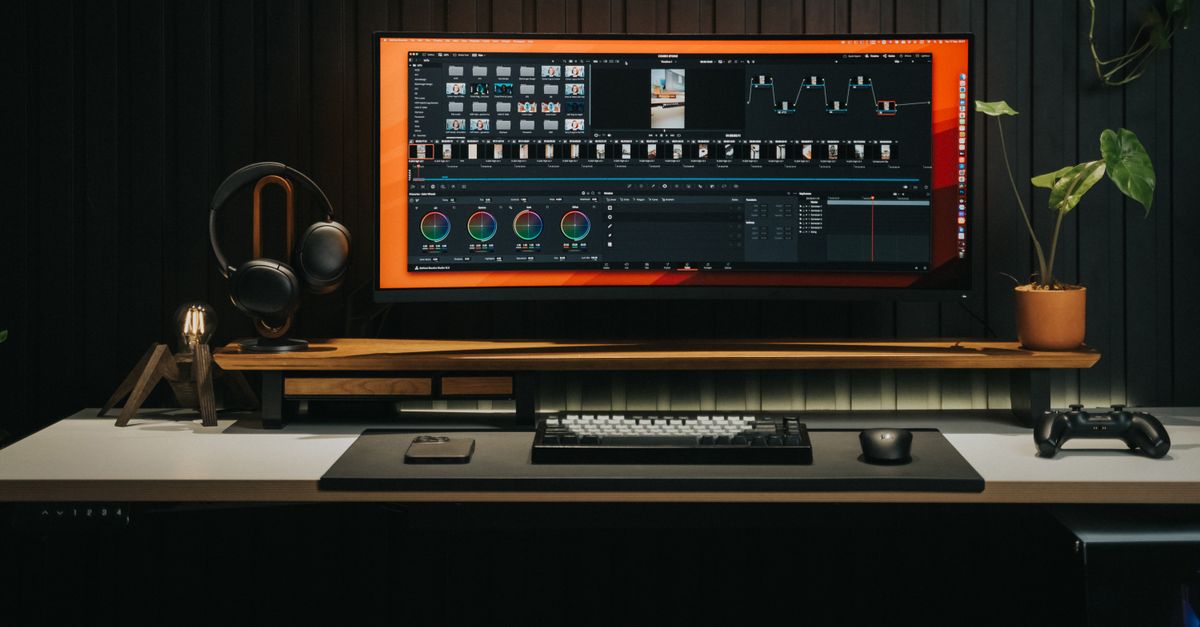
This is the AI video repurposing workflow I use to turn one recorded video into 10 platform-ready assets — tested across Brainchild360’s own content library from January to May 2026. In 2026, HubSpot’s State of Marketing report — surveying 1,500+ global marketers — found that 60% of marketers say repurposed content generates more leads than original content. Yet only 35% of marketing teams actively repurpose content across channels (HubSpot, State of Marketing 2026). Most creators record, publish once, and move on. The video sits on YouTube. The insight inside it never reaches LinkedIn, never becomes a newsletter, never gets turned into a thread someone shares at midnight.
I tracked repurposing time across my own content library on Brainchild360. Manually: roughly 4 hours per video — watching the recording, writing each platform post from scratch, formatting separately. With a 3-step AI workflow: 60 minutes of active time. One transcript, one Claude prompt, 10 platform-ready assets. The difference isn’t working harder on distribution. It’s treating the transcript as raw material and AI as the formatting engine.
This guide covers the exact workflow: Descript for transcript preparation, Claude for all 10 assets in a single session, and a 20-minute format-and-schedule pass to get everything live. The tools are reviewed in more detail in the AI video tools breakdown — this article focuses on the workflow that connects them.
- In 2026, 60% of marketers find repurposed content generates more leads than original — yet only 35% actively repurpose across channels (HubSpot, State of Marketing 2026).
- One video becomes 10 assets: blog post, Twitter thread, LinkedIn post, Instagram carousel, email excerpt, YouTube short, audiogram, Pinterest pin, Reddit post, and TikTok caption.
- Total active time: 60 minutes — 10 min Descript transcript, 30 min Claude generation, 20 min format and schedule. Down from 4 hours manual.
What this produces: 10 platform-ready content assets from one video, scheduled across a 2-week posting calendar.
What you need to start: a recorded video or YouTube URL, a Descript account, and a Claude Pro subscription.
Tools: Descript, Claude Pro, optional ElevenLabs, Buffer or Notion.
Time: 60 minutes of active time per video.
PM note: This applies content distribution and scope management — the same structured approach used in professional project delivery, adapted for solo content creators. A formal content distribution plan in a professional setting would involve a team and a communications calendar; here it’s condensed into a single-session, single-operator workflow with the same defined-inputs-to-defined-outputs structure.
Why Most Creators Leave 90% of Their Video Value Unused
In 2026, HubSpot’s State of Marketing report found that 49.4% of marketing teams reuse content across platforms, but only 35% actively repurpose it — meaning they adapt content for each channel rather than simply cross-posting (HubSpot, State of Marketing 2026). That gap between reuse and repurpose is where most of a video’s value goes unused. Cross-posting the same video link to every platform is not repurposing. Platform-native assets — a thread, a carousel, a newsletter excerpt — each built for how that audience consumes content — is repurposing.
The practical barrier isn’t motivation. It’s time. Writing a LinkedIn post about a YouTube video means watching the video again, pulling the key insight, rewriting it for a professional audience, and formatting it for LinkedIn’s native reading patterns — without the hook structure that works on Twitter, without the slide logic that works on Instagram. Multiply that by 10 platforms and the repurposing job is bigger than the original recording.
The workflow in this guide collapses that barrier. The transcript from one video contains every insight you recorded. Claude reads it, identifies the core claims, and formats them into 10 different platform structures in a single prompt session. What takes 4 hours of individual drafting takes 30 minutes of active review. The output isn’t identical content repasted — it’s genuinely platform-adapted copy pulled from what you actually said.
What You Need to Run This Workflow
Four tools handle everything in this workflow, from raw video to a scheduled 2-week posting calendar — no editing suite, no agency, no full-time social team required. In 2026, HubSpot’s Social Media Marketing Report — surveying 1,100+ global marketers — found that over half of companies already repurpose video into social clips, with LinkedIn the top destination (67% of teams), followed by Instagram (49%) and YouTube (41%) (HubSpot, Social Media Marketing Report 2026). This workflow covers all three — plus seven additional formats — from a single source video.
- Descript Required — Affiliate — handles transcription and short-clip editing in one workspace. Import the video, get the AI transcript, clean errors, export text. The same session also lets you cut the YouTube Short clip using Descript’s Scenes feature, without switching tools.
- Claude Pro $20/month — Required — generates all 10 platform assets from the transcript in a single prompt session. The free tier truncates long transcripts; Claude Pro handles full-length recordings without cutoff.
- ElevenLabs Optional — Affiliate — generates audio narration from the transcript excerpt for audiograms or podcast teasers. Use it if your audience responds to audio content; skip it if you’re text and video only.
- Buffer or Notion Free — paste the 10 assets here and schedule across a 2-week window. Buffer handles cross-platform scheduling directly; Notion works as an asset library if you prefer to post manually. Later is the Instagram-first alternative to Buffer — better if your primary distribution channels are Instagram or TikTok, with native Story scheduling and visual grid previews.
Setup time: 15 minutes to create a Descript account, connect Claude Pro, and bookmark the Asset Generation Prompt below. After that, the workflow repeats without configuration.
Alternative repurposing tools: Castmagic combines transcription with AI content generation in one tool — if you want a more self-contained pipeline, it replaces the Descript + Claude combination with a single automated workflow that outputs platform drafts from your uploaded recording. Munch focuses on AI clip extraction from long-form video — a lower-cost option if short-form clips are your primary output rather than text-based assets like threads and newsletters.
Scope: This workflow covers turning one recorded video into 10 platform-ready assets and scheduling them. It does not cover the original video recording or editing, AI tool selection (see the AI video tools breakdown), or long-term content calendar strategy — those are separate processes.
Step One
Prepare the Transcript in Descript (10 Minutes)
Input: raw video file or YouTube URL
Tool: Descript
Output: cleaned transcript text file, plus one marked highlight Scene for Step 3
Original data from Brainchild360’s content library: transcript preparation — which replaces 30 minutes of video-rewatching and manual note-taking — averages 10 minutes with Descript’s AI transcription (Rasumon Manuel, original data, January–May 2026). This is the only step where you interact with the video itself. Everything after it operates on the text file.
The process is four actions:
- Import: Drag the video file into Descript, or paste the YouTube URL. Descript transcribes automatically while you watch the first 2 minutes for context.
- Clean: Scan the transcript for misheard words — usually proper nouns, tool names, and technical terms. Fix them in the transcript editor (editing the text edits the video simultaneously).
- Mark the highlight: Highlight the single strongest 60-90 second segment — the moment you’d use for a YouTube Short or audiogram clip. Right-click and save as a Scene. Descript will clip it automatically.
- Export: File → Export → Transcript as text. This plain text file is your raw material for Step 2.
Stop thinking “repurpose this video” and start thinking “process this transcript.” Claude doesn’t watch video — it reads text. Once you have a clean transcript, you’re 30 minutes from 10 platform-ready assets. Descript is the bridge from video to text. That reframe changes how you approach every recording going forward.
Step Two
Generate All 10 Assets with Claude (30 Minutes Active)
Input: cleaned transcript from Step 1, pasted into the Asset Generation Prompt
Tool: Claude Pro
Output: 10 platform-ready draft assets, reviewed one at a time as they generate
In September 2025, Artlist surveyed 6,500 creators and found that 87% use AI in their creative workflows, with 40%+ using it daily (Artlist, AI Trend Report, September 2025). The pattern that makes AI genuinely useful at that frequency isn’t running it for individual tasks — it’s batching. In this step, one Claude session processes the entire transcript and returns all 10 assets in sequence. You review each one as it arrives, not after a 2,000-word block is complete.
The 10 assets this prompt generates from a single transcript:
Open Claude Pro. Paste this Asset Generation Prompt followed immediately by your cleaned transcript:
You are a content repurposing specialist. Below is the full transcript from a [TYPE: YouTube video / podcast / webinar] titled '[TITLE]'.
My target audience: [AUDIENCE — e.g. solopreneurs, content creators, PMs]
My brand voice: direct, specific, experience-led — no filler phrases.

Using only information in this transcript, generate all 10 assets below.
Do not add facts or claims not in the transcript.

[PASTE FULL TRANSCRIPT HERE]

---

ASSET 1 — BLOG POST DRAFT (600-800 words)
H1: [create an SEO-friendly title using the main topic]
Write a structured blog post with 4-5 H2 sections, answer-first formatting (each H2 opens with the key point), and a 3-bullet key takeaways box after the intro. End with a clear recommendation.

ASSET 2 — TWITTER/X THREAD (7 tweets)
Tweet 1: Hook (bold claim or surprising insight — under 280 chars)
Tweets 2-6: One insight per tweet, each self-contained, max 280 chars
Tweet 7: Summary + CTA ("Full breakdown: [link]")

ASSET 3 — LINKEDIN POST (250 words)
Open with a first-person observation (no "I'm excited to share").
Body: 3 key points as short paragraphs.
Close with one engagement question.

ASSET 4 — INSTAGRAM CAROUSEL (5 slides)
Slide 1: Hook headline (under 8 words)
Slides 2-4: One insight per slide (headline + 2-line explanation)
Slide 5: CTA ("Save this. Full workflow: link in bio.")

ASSET 5 — EMAIL NEWSLETTER EXCERPT (150 words + subject line)
Subject line: under 50 chars, curiosity-driven
Body: TL;DR (2 sentences) + 3 bullet takeaways + CTA button text

ASSET 6 — YOUTUBE SHORT SCRIPT (60 seconds / ~150 words)
Hook (0-5 sec): bold statement or question
Value (5-50 sec): 3 quick points from the video
CTA (50-60 sec): subscribe + link to full video

ASSET 7 — AUDIOGRAM PULL QUOTE (60-90 words)
Pull the single most quotable moment from the transcript.
Format as a clean pull quote suitable for a 30-45 second audiogram clip.

ASSET 8 — PINTEREST DESCRIPTION (150 chars max)
Keyword-rich. Include main topic + benefit.

ASSET 9 — REDDIT TEXT POST
Title: Frame as a question or observation (not promotional)
Body: 150-200 words sharing 3 key findings as if reporting to peers.
End with a discussion question.

ASSET 10 — TIKTOK CAPTION + HOOK (under 150 chars total)
Hook sentence (first line, stops scrolling)
Caption: 1-2 sentences + 2-3 relevant hashtags

Step Three
Format and Schedule (20 Minutes)
Input: 10 draft assets from Step 2, plus the marked Scene from Step 1 for the YouTube Short
Tool: Buffer or Notion → Canva (Instagram resize) → Descript (Short captions)
Output: a scheduled 2-week posting calendar across all platforms
Original data from Brainchild360’s repurposing workflow: the format-and-schedule step averages 20 minutes per video — down from 30–60 minutes of manual copy-pasting and per-platform reformatting (Rasumon Manuel, original data, January–May 2026). The difference is starting from finished AI drafts rather than blank platform editors. The work becomes copy-paste-and-resize, not write-and-rewrite.
Four tasks complete this step:
- Copy assets to Buffer or Notion: Paste each asset into your scheduler or asset library. In Buffer, connect all platforms and queue each post. In Notion, create one page per video with the 10 assets as sub-sections.
- Resize for Instagram: The carousel copy from Asset 4 goes into Canva or your design tool. Use a 1080×1080 template. Copy the slide headlines directly from the Claude output — no rewriting needed.
- Add captions to the YouTube Short: In Descript, open the Scene you marked in Step 1. Export it with auto-captions enabled. Descript adds styled subtitles automatically from the cleaned transcript.
- Schedule across 2 weeks: Distribute the 10 assets over 14 days rather than publishing all at once. One video’s output covers your entire posting schedule for two weeks without creating a single piece of original content.
Full time breakdown across all three steps:
The One Mistake That Stalls Repurposing Workflows
The most common failure in AI repurposing workflows isn’t using the wrong tools — it’s treating each output as a standalone creative project rather than a formatting pass. In 2026, HubSpot’s State of Marketing report found that short-form video delivers the highest ROI of any content format for 49% of marketers, but the mechanism behind that ROI is distribution volume, not individual video quality (HubSpot, State of Marketing 2026). Spending 45 minutes perfecting the LinkedIn post instead of publishing a good one in 5 minutes and posting 10 more this month is the pattern that kills output.
The first time I ran this workflow on a Brainchild360 video, I spent an extra 90 minutes editing the Twitter thread, rewriting the LinkedIn intro three times, and redesigning the Instagram carousel from scratch rather than using the Claude output as a starting point. The results from that over-edited batch were not measurably better than the next batch, where I used Claude’s output with one fast edit pass. The 90 minutes was pure waste.
The standard for each asset is “good enough to publish, on-brand, accurate to the transcript” — not “better than what I’d write in 3 hours.” One fast edit pass per asset. If it needs more than 5 minutes of revision, the prompt needs adjusting, not the draft. Fix the prompt once; don’t manually fix every output. (In PM terms: this is a quality gate — a defined point where the deliverable is checked against a specific standard before it proceeds.)
This workflow is part of a broader operating system for solo content production. For how repurposing fits alongside meeting workflows, proposal workflows, and the AI blog writing workflow into a single week, see the 11 hours of solopreneur work breakdown — repurposing was the single largest time recapture in that audit, at roughly 3 hours per week recovered. For the full set of AI workflow systems for solopreneurs, the hub covers every workflow in the stack.
The Full Prompt Library Behind This Workflow
The Asset Generation Prompt above is part of a 40+ prompt library tested across a live blog, consulting practice, and content production system. The AI Operators Playbook includes the complete repurposing workflow, plus meeting, proposal, and blog writing prompts.
Frequently Asked Questions
How long does it take to repurpose a video with AI?
Do I need Descript specifically, or will any transcription tool work?
Will AI-repurposed content sound like me?
How many videos should I repurpose per week?
Does this workflow apply to podcasts and webinars, not just YouTube videos?
Free: the prompts behind this workflow.
Get the AI Operator's Toolkit – 20 copy-paste prompt systems for real professional work. Free download.
The 60-Minute Default for AI Video Repurposing
Original data tracked across Brainchild360’s content library: the before/after is consistent — 4 hours of manual repurposing per video versus 60 minutes of active AI-workflow time, a 75% reduction across every content format tested (Rasumon Manuel, original data, January–May 2026). The workflow structure is the variable, not the AI model. Any creator with a video, a Descript account, and Claude Pro can run this process today.
What changes when you run this consistently isn’t the quality of any individual asset. It’s the distribution density. One recorded conversation fuels two weeks of platform-native content. The compound effect over six months — on search visibility, audience growth, and inbound opportunities — doesn’t show up in any single post, but it accumulates in ways that publishing once per video never does. A 90-day run of this workflow — four source videos, 40 distributed assets — is enough to build a posting rhythm that runs entirely from recorded content without daily creation pressure.
The Asset Generation Prompt above is the core of this workflow. The full prompt library — including variations for short-form podcasts, webinar recaps, and client case study videos — is in the AI Operators Playbook. For the broader set of AI workflow systems for solopreneurs, the hub covers proposal, meeting, blog, and project management workflows in one architecture.
- HubSpot, “State of Marketing 2026” (survey of 1,500+ global marketers), retrieved May 2026, blog.hubspot.com/marketing/hubspot-blog-marketing-industry-trends-report
- HubSpot, “Social Media Marketing Report 2026” (survey of 1,100+ global marketers), retrieved May 2026, blog.hubspot.com/marketing/hubspot-blog-social-media-marketing-report
- Artlist, “AI Trend Report” (vendor-published survey of 6,500 creators, September 2025 — Artlist is a creative content licensing platform; survey methodology includes Artlist platform users), retrieved May 2026, artlist.io
- Rasumon Manuel, PMP, original data: active repurposing time per video tracked across Brainchild360 content library, January–May 2026. Before AI workflow: ~240 min average per video. After AI workflow implementation: ~60 min average active time.

Rasumon Manuel, PMP
PMP-certified project manager, AI workflow operator, and content producer based in Dubai. Founder of Brainchild360. I run AI-produced content, test tools on real workflows, and write about what actually works — not what looks good on a feature list.
About Rasumon →