
In 2026, Breeze PM’s project management statistics report found that 50% of project managers spend at least one full day every month just manually collating project status information. Not running projects. Not advising clients. Just gathering data to write a report that gets skimmed and forgotten by Friday.
I’m a PMP-certified consultant based in Dubai. I run client-facing projects solo — no coordinators, no PMO overhead. The pressure to stay across every engagement while keeping admin from consuming my week is constant. AI didn’t solve that by making me write better status reports. It solved it by making status reports nearly automatic.
This is the workflow I use across all five PMBOK process groups — from the first client brief to the final handoff memo. Real prompts. Real before-and-after times from three client engagements tracked between January and May 2026.
TL;DR
A structured AI workflow across all five PMBOK phases cuts project admin by 50–75% per phase. Biggest wins: initiation (3 hours → 45 minutes), execution (weekly status reports generated from a single paste), closeout (full handoff in 85 minutes). Tools: Claude + Notion AI + GoHighLevel. Source: Rasumon Manuel, PMP — 3 client projects, January–May 2026.
Process Overview
Produces: a project charter, WBS, risk register, weekly status reports, scope-creep checks, a lessons learned document, and a client handoff memo — the full deliverable set across all five PMBOK process groups.
Requires: a client brief or kickoff notes, an active Notion workspace, and a Claude account.
Tools: Claude (prompting engine) and Notion AI (project workspace) are non-negotiable; GoHighLevel and Motion are optional depending on engagement volume.
Tailoring note: This is the closest workflow on Brainchild360 to a standard PMI process — scale is reduced for solo practice, but all five process groups and the core artifact set are intact, not simplified away.
Why Most Project Managers Are Using AI Wrong
In 2026, ProjectManagement.com’s survey on how project managers use AI found that 70% have incorporated it into their daily workflows. Meanwhile, Breeze PM’s statistics report shows only 32% of organisations have integrated AI into structured PM processes. That 38-point gap isn’t an adoption problem. It’s a workflow design problem.
Most PMs use AI the same way they used Google 15 years ago — as a search box. Open ChatGPT, ask a question, get an answer, move on. That approach produces occasional wins but no systematic improvement.
The PMP insight is different. PMBOK divides project work into five process groups: Initiation, Planning, Execution, Monitoring and Control, and Closing. Each has defined inputs, outputs, and decision points. AI belongs in each one — but at a specific moment, for a specific purpose, with a specific prompt. Random prompting doesn’t build a workflow. Phase-locked prompting does.
In 2026, Runn.io’s time management statistics report found that 62% of every workday is lost to manual and repetitive tasks. For solo PM consultants running multiple client engagements alone, that number runs higher — because there’s no team to share the admin load.

For a breakdown of which AI tools fit each stage of PM work, the full AI tools guide for project managers covers the tool layer. For the aggregate time savings across all solopreneur workflow types, the 11 hours replaced with AI workflows case study covers the broader picture. This article is the PM-specific workflow layer — what to do with those tools, and when.
Scope: This article covers the five-phase AI workflow for running a client engagement end to end. It does not cover the discovery call or proposal stage that precedes initiation — see the client proposal workflow for that — or internal team management mechanics beyond the prompt sequences themselves.
Phase 1 — Initiation: Set Up Your Project in One Morning
Input: a client brief, email thread, or kickoff meeting notes
Tool: Claude (Project Charter prompt) → Notion AI (workspace setup)
Output: a project charter, scope statement, and stakeholder register
Project initiation generates more wasted time per hour than any other phase. Stakeholders align slowly. Scope drifts before work officially begins. A usable project charter — with SMART objectives, scope boundaries, success criteria, and a stakeholder register — typically takes 3–5 days to produce manually. With AI, it takes one morning.
Tracked across three client engagements, January–May 2026: the full initiation deliverable set (charter, scope statement, stakeholder register) went from an average of 3.0 hours to 45 minutes. Here’s the prompt that does most of the work:
Here is my client brief: [paste the email, document, or meeting notes].

Generate a project charter with: (1) Project purpose and business case, (2) SMART objectives — 3 to 5, (3) Scope boundaries — what is in scope and what is explicitly excluded, (4) Key stakeholders and their primary interest in the project, (5) Success criteria and how each will be measured, (6) Assumptions and constraints, (7) Initial risk summary — top 3 risks with a one-line mitigation each.

Format in plain text. Flag any section where you made an assumption due to missing information in the source material.
Once Claude returns the charter, I paste it into Notion AI and set up the project workspace — linked task database, stakeholder page, document folder, and meeting log. Notion AI can answer questions about the project in natural language from that point forward. No manual searching through files.
Quality Check
The flags Claude returns — sections where it made assumptions — are where a PMP earns their fee. Those gaps require the judgment that comes from the kickoff conversation, the relationship, and context the AI doesn’t have. Review every flagged assumption before sharing anything with the client. The rest of the document is usually solid. An unreviewed flag isn’t a failed charter — it’s an incomplete one. Resolve the specific flag, not the whole document.
The initiation workflow connects to the broader AI workflow system for professionals built across every project phase. Initiation is where the system earns its keep fastest — because the time saved here compounds across every subsequent phase.
Phase 2 — Planning: Build a Project Plan That Actually Holds
Input: the scope statement from Phase 1
Tool: Claude (WBS prompt + Risk Register prompt) → Notion (task database)
Output: a three-level WBS with effort estimates, and a 7-risk risk register
In 2026, Breeze PM’s AI project management statistics report found that AI tools improve PM productivity by 40% and reduce project delays by 25%. Planning is where most of that improvement originates — not because AI makes better plans, but because it surfaces what the plan is missing before execution starts.
Most solo PMs skip planning steps under deadline pressure. You know the scope, you’ve talked to the client, you have a rough timeline in your head. Writing it all out takes time that feels unproductive. But undocumented plans are where scope creep starts, and scope creep is where consulting relationships go sideways.
Two prompts that cover the planning workload:
Here is my project scope statement: [paste].

Generate a work breakdown structure (WBS) with three levels of decomposition. Group deliverables by project phase. For each deliverable, estimate effort in hours (a range is fine). Flag any deliverable that typically causes rework in similar projects and explain why.
Based on this project description: [paste scope statement or charter].

Identify the top 7 project risks. For each, provide: (1) risk description, (2) likelihood — High, Medium, or Low, (3) impact — High, Medium, or Low, (4) risk owner by role, (5) one mitigation action. Format as a table.
Once Claude returns the WBS, paste it into Notion and convert it into a task database — assignees, due dates, status fields. Notion AI handles the restructuring. For scheduling across multiple concurrent engagements, Motion auto-prioritises tasks based on capacity and deadlines. For most solo PMs, Notion’s timeline view covers the basics; Motion earns its place when you’re running three or more projects in parallel.
Planning now takes about 2 hours instead of 4. What changed most isn’t the time — it’s the completeness. The risk register in particular surfaces things you’d miss under deadline pressure. For the weekly rhythm that keeps plans current inside active projects, the AI weekly planning system covers that routine.
Phase 3 — Execution: Eliminate the Admin Without Losing Control
Input: the week’s task list and meeting transcripts
Tool: Claude (Weekly Status Report prompt) → GoHighLevel (client communication, optional)
Output: a weekly RAG status report and automated client follow-up sequences
In 2026, The Digital Project Manager’s time management statistics report found that 50% of project managers spend one full day per month just collating project status information manually. Execution is where this happens — in meeting notes that need processing, status updates that need writing, and client emails that need drafting. With an AI workflow running, this time disappears.
For meeting notes, I route everything through the system described in the AI meeting-to-action workflow. The short version: a transcription tool captures the call, Claude structures the output into action items, decisions, and open questions. A 90-minute client meeting produces a formatted summary in under 10 minutes. For status reports — which I produce weekly for every active engagement — this is the prompt I run every Friday:
Here is this week's project task list with statuses: [paste from Notion].

Generate a project status report with: (1) Overall RAG status — Red, Amber, or Green — with a one-sentence rationale, (2) Key accomplishments this week — 3 to 5 bullet points, (3) Blockers and issues — each with a recommended action, (4) Decisions needed from the client or sponsor, (5) Next week's top three priorities. Keep the total under 300 words.
Client communication is the other execution drain. GoHighLevel handles this at the pipeline level — automated follow-ups, deliverable approval requests, and milestone notifications run on preset sequences. When a deliverable is submitted, the client gets an automated email requesting review. When the review window closes, a reminder fires. The PM doesn’t write or track any of it. This is the CRM layer most PM productivity content ignores.
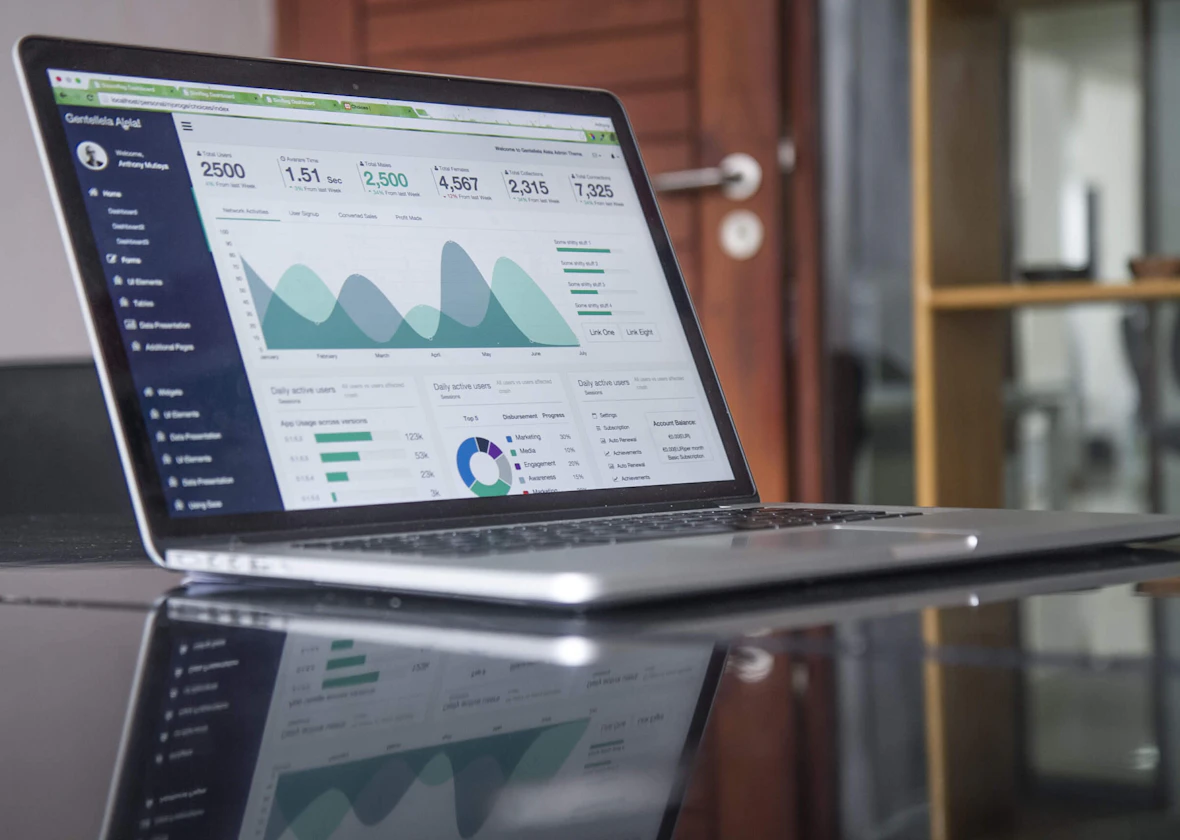
According to The Digital Project Manager’s 2026 time management report, 50% of project managers spend at least one day per month just manually collating status information. With a structured AI execution workflow — meeting notes automated, status reports generated from a task-list paste, client follow-ups running on a CRM sequence — this monthly overhead drops to under two hours per active engagement.
Phase 4 — Monitoring: Catch Scope Creep Before It Costs You
Input: the original scope statement, the current task list, and the Phase 2 risk register
Tool: Claude (Weekly Scope-Creep Check prompt + risk register update)
Output: a flagged list of out-of-scope tasks with recommended actions, and an updated risk register
In 2026, Breeze PM’s project management statistics report found that 63% of project managers cite increased productivity and efficiency as their top benefit from AI tools. The monitoring phase is where that plays out most clearly — and where solo PMs take the most risk by relying on instinct instead of a system.
Scope creep doesn’t arrive as a formal request. It arrives as a “while you’re at it” in a client email, a feature request buried in meeting notes, or a changed assumption nobody documented. Left unchecked, it erodes margins and strains relationships. The fix is a weekly scope-creep check:
Here is the original project scope statement: [paste from project charter].

Here is this week's full task list: [paste from Notion].

Identify any tasks that appear to be outside the original scope. For each flagged item: (1) describe the potential scope issue, (2) recommend whether it warrants a formal change request or can be absorbed without impact, (3) suggest a one-line message to the client if a change request is needed.
I run this every Friday alongside the status report prompt. It adds five minutes to the weekly review. Over six months of active use, it flagged out-of-scope work on four separate engagements before a single hour was spent on it.
Also worth running every two weeks: paste the original risk register from Phase 2 into Claude with the current project status and ask it to update likelihood ratings based on what’s happened since. Risk registers shouldn’t be static documents. With AI, they don’t need to be.
Phase 5 — Closeout: Ship the Full Handoff in an Afternoon
Input: raw retrospective notes and the final deliverables list
Tool: Claude (Lessons Learned prompt + handoff memo conversion)
Output: a formal lessons learned document and a client handoff memo
Closeout is the phase solo consultants skip most often. There’s always another engagement waiting, and a proper closeout — lessons learned, client handoff document, final status report — takes 3–4 hours manually. That time always feels like it’s taken from something more urgent. AI makes it fast enough to actually do right, every time.
Tracked across three client projects, January–May 2026: the full closeout document set went from an average of 3.5 hours to 85 minutes. The lessons learned document is the most valuable output — and the most skipped. This prompt produces a usable first draft from raw retrospective notes:
Here are my retrospective notes from this project: [paste your bullet points or raw notes].

Structure them into a formal lessons learned document with: (1) What worked — 3 to 5 items, (2) What didn't work — 3 to 5 items, (3) Root causes — for the top 2 issues, a one-paragraph root cause analysis, (4) Recommendations for future projects — 3 to 5 specific, actionable improvements. Format for internal use.
For the client handoff document — which covers what was delivered, where files are located, open items, and recommended next steps — paste the deliverables list from Notion and ask Claude to convert it into a client-facing memo. Two minutes, usable first draft.
A clean closeout also sets up the next engagement. The client proposal workflow that follows is at AI client proposal workflow — that’s where the loop restarts.
The Tools That Run This Workflow
Four tools. Two are non-negotiable; two are optional depending on your volume.
Notion AI is the project workspace — charter, task database, risk register, meeting notes, change log. Notion AI answers questions about the project in natural language, which means far less time searching through documents. This is the first tool I’d set up if starting from scratch.
Claude is the prompting engine. Every document generation prompt, scope-creep check, risk update, and status report goes through Claude. Standard subscription, no affiliate link. Non-negotiable.
GoHighLevel handles client communication at the pipeline level. Automated deliverable approval requests, milestone notifications, and follow-up sequences run without PM involvement. Recommended for consultants managing three or more active client accounts.
Motion handles AI scheduling and capacity planning across concurrent projects. Notion’s timeline view covers most solo PM needs — add Motion when manual prioritisation across multiple engagements becomes a daily decision. Secondary tool, optional.
For a full breakdown of every tool in the stack: my exact AI tool stack. For more workflows built for this context: AI workflows for project managers and consultants.
Frequently Asked Questions
Can AI replace a project manager?
No. In 2026, PMI’s AI in project management research found that 82% of senior leaders plan to integrate AI into project workflows — not to eliminate PMs, but to remove the admin overhead that dilutes their time. Stakeholder management, scope decisions, and risk judgment still require a human. PMs who run AI workflows become significantly more effective; those who don’t fall behind on throughput.
What’s the best AI tool for project management?
It depends on the stack. For solo PM consultants: Notion AI for documentation and task management, Claude for document generation and analysis, GoHighLevel for client communication pipelines. There’s no single best tool — there’s a best combination, and that combination differs between client-facing consulting work and internal team projects.
How long does it take to set up this workflow?
One afternoon to configure the core prompts and Notion workspace template. One project to test and refine. By the third engagement, the initiation, status report, and scope-check prompts run without thought. The setup investment is roughly three hours; the return per engagement is 10+ hours. It pays back fast.
Does this workflow apply to internal projects or only client work?
It’s designed for client-facing consulting engagements — the GoHighLevel layer handles client communication specifically. Internal project managers running team projects can use the Phase 1–5 prompt sequences without the CRM component. The charter, WBS, risk register, and status report prompts are project-type agnostic.
Build This System for Your Practice
This workflow took six months to design and refine across real client projects. The prompts work. But the setup — connecting Notion to your specific project types, configuring GoHighLevel sequences for your client communication flow, mapping the weekly prompt rhythm to your actual engagements — requires adaptation to your context.
Not Sure How This Maps to Your Own Projects?
I run a 90-minute AI Workflow Audit for PM consultants. We map your current delivery workflow against these five phases, identify the highest-leverage AI insertion points, and build you a working prompt system with implementation steps — specific to your projects and client type, not a generic template.
For the full library of AI systems built across this operation — not just project management: the complete workflow collection.
Sources
- Breeze PM, AI Project Management Statistics and Trends for 2026, retrieved 2026-06-02, https://www.breeze.pm/articles/ai-project-management-statistics
- ProjectManagement.com, How Project Managers Are Using AI, retrieved 2026-06-02, https://www.projectmanagement.com/blog-post/77389/how-project-managers-are-using-ai
- Runn.io, Time Management Statistics: Understand Where Your Workday Goes, retrieved 2026-06-02, https://www.runn.io/blog/time-management-statistics
- The Digital Project Manager, 22 Time Management Statistics to Help Ease Your Workload, retrieved 2026-06-02, https://thedigitalprojectmanager.com/productivity/time-management-statistics/
- PMI, Artificial Intelligence in Project Management, retrieved 2026-06-02, https://www.pmi.org/learning/ai-in-project-management
- Rasumon Manuel, PMP, Project Phase Time Tracking — first-hand original data, 3 client engagements, January–May 2026

Rasumon Manuel, PMP
PMP-certified project manager, AI workflow operator, and content producer based in Dubai. Founder of Brainchild360. I run AI-produced content, test tools on real workflows, and write about what actually works — not what looks good on a feature list.
About Rasumon →